Marketing Analytics & Automation
Python Newsletter Automation
Personalized Email Marketing Automation Using Python
Project Overview
This project explores how Python can automate a newsletter campaign, from retrieving client information to sending personalized HTML emails through the Gmail API.
I built a simulated website launch campaign for ByrdieOnTheRocks, using Google Sheets as the contact database and Python to manage recipient eligibility, personalization, sending, and status updates.
Newsletter links contain dynamic UTM parameters, allowing campaign traffic to be tracked in GA4.
What I Wanted to Build
- Retrieve client information automatically using Google Sheets API.
- Create a reusable, personalized HTML newsletter.
- Apply recipient eligibility rules before sending.
- Send personalized emails through Gmail API.
- Automatically update sending statuses in Google Sheets.
- Track newsletter campaign traffic using GA4.
Workflow
The project connects Google Sheets, Python, and Gmail API into one newsletter automation workflow.
Google Sheets → Python → Eligibility Check → HTML Personalization → Gmail API → Status Update
Python retrieves client records, checks eligibility, and generates personalized newsletters using information stored in Google Sheets.
Gmail API sends the prepared message, and Python updates the corresponding status. Newsletter links direct recipients to the website, where UTM parameters support GA4 campaign tracking.
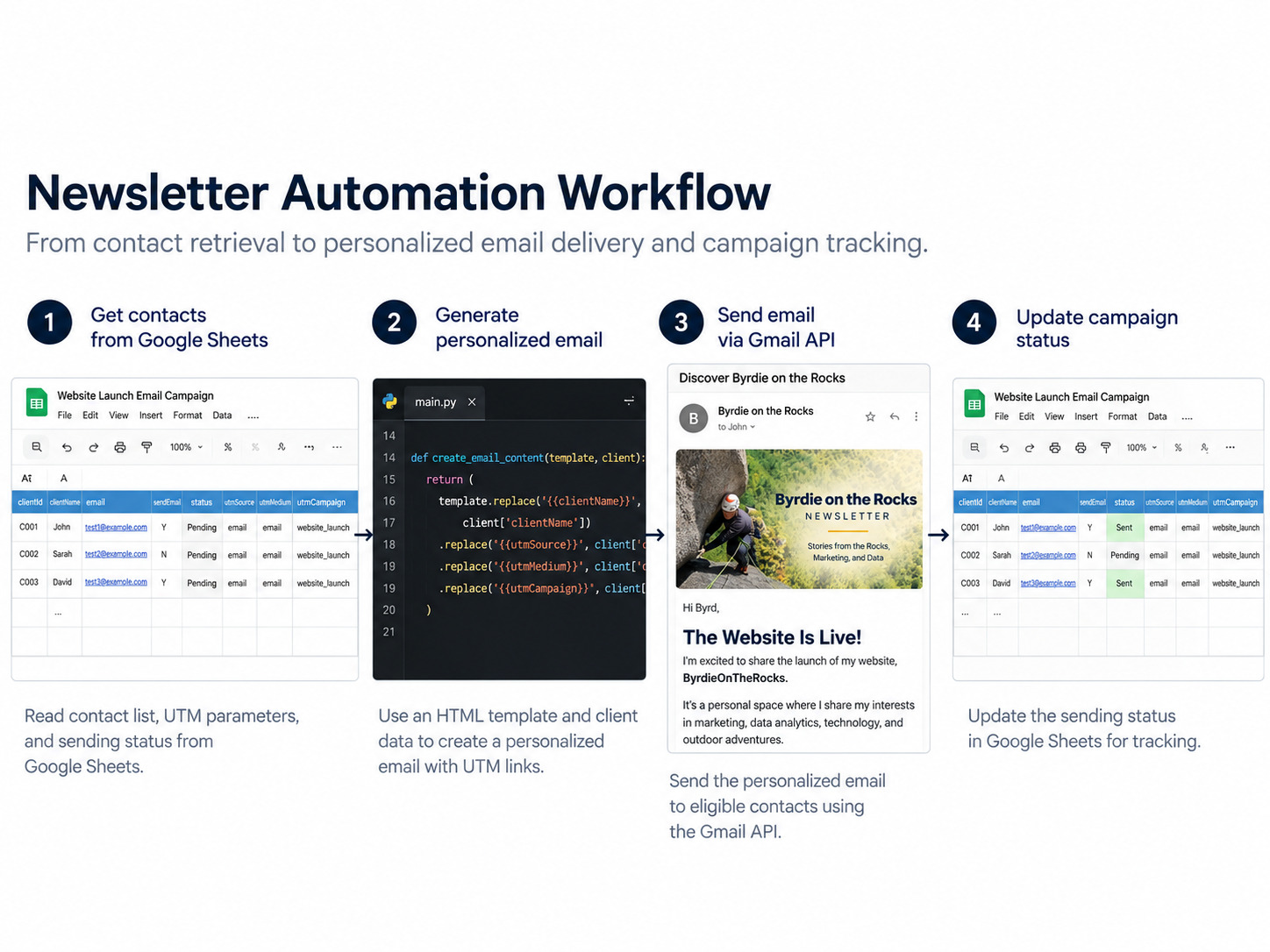
Newsletter automation workflow from contact retrieval to personalized email delivery and campaign tracking.
Approach
- Connected Python to Google Sheets API using OAuth 2.0.
- Retrieved client names, email addresses, sending preferences, statuses, and UTM parameters.
- Created a branded HTML newsletter template with dynamic placeholders.
- Applied eligibility rules to identify recipients marked Y and Pending.
- Personalized email content and subject lines using client information.
- Integrated Gmail API to send HTML newsletters.
- Updated email statuses in Google Sheets after sending requests.
- Verified UTM campaign traffic using GA4.
Google Sheets & Python Integration
Google Sheets stores recipient information, sending preferences, and campaign parameters. Python retrieves this information and processes eligible contacts.
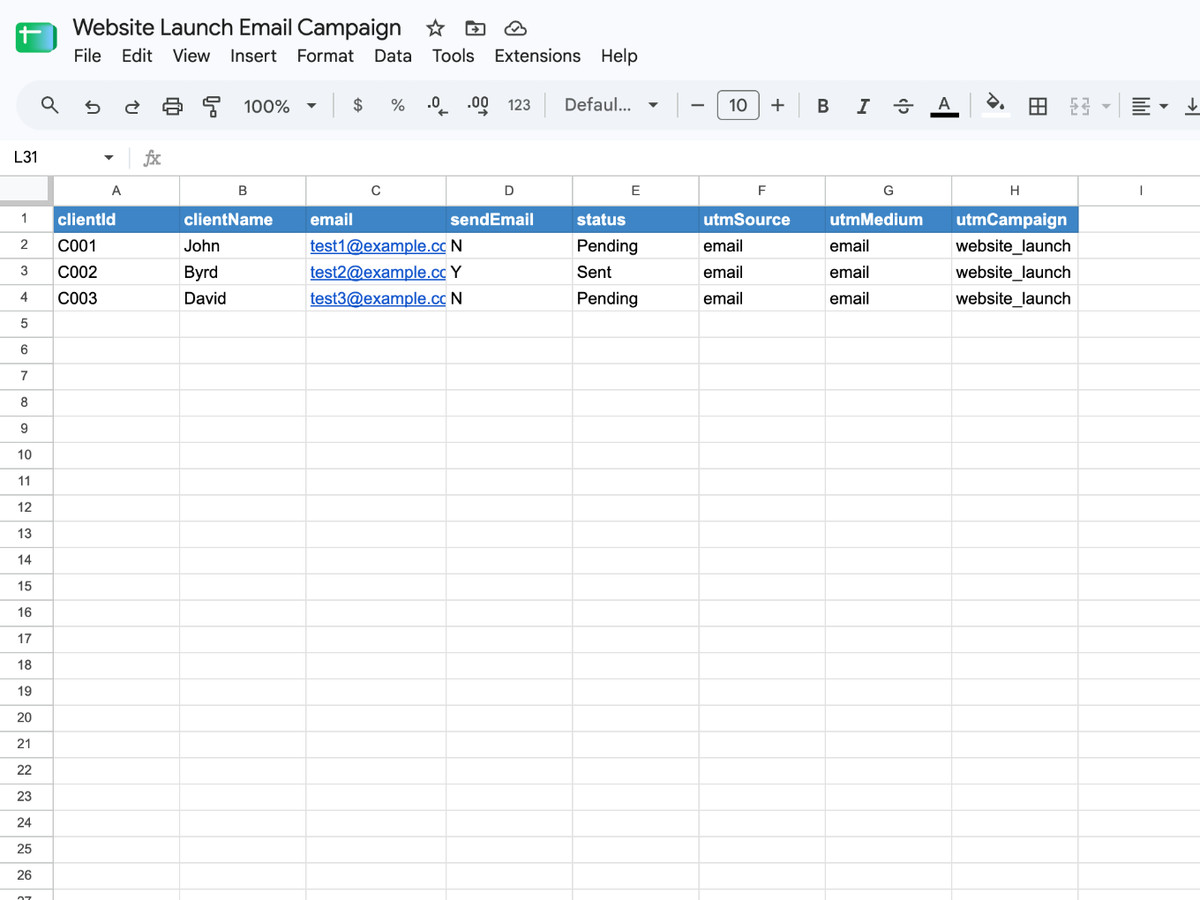
Contact Database
Sample client information, sending preferences, statuses, and UTM parameters.
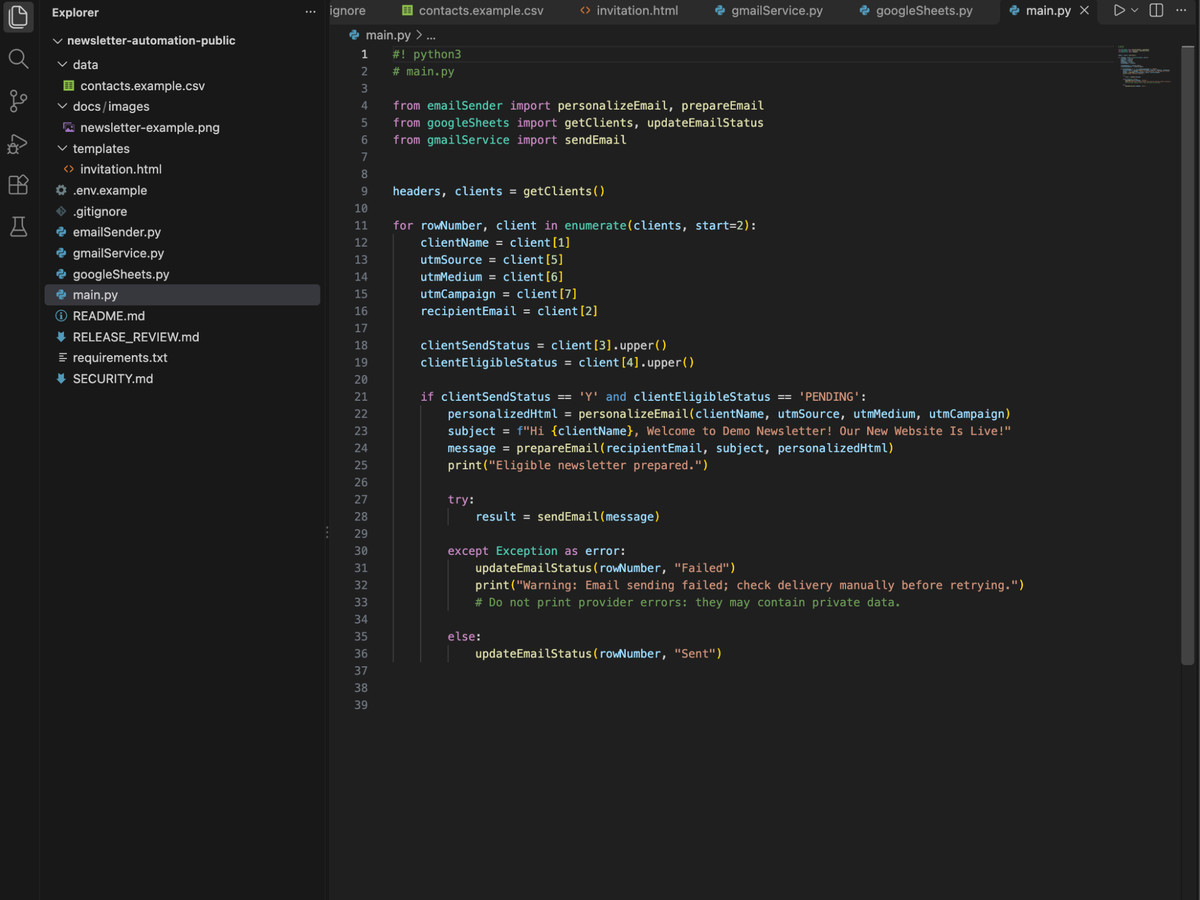
Python Automation
Processing client data and preparing personalized HTML newsletters.
Dynamic Personalization
Python replaces HTML placeholders with client names and UTM parameters retrieved from Google Sheets.
The same HTML template generates personalized newsletters with dynamic greetings, subject lines, and tracked website links.
Personalized HTML Newsletter
The final newsletter includes ByrdieOnTheRocks branding, a personalized greeting, website launch content, and a tracked call-to-action.
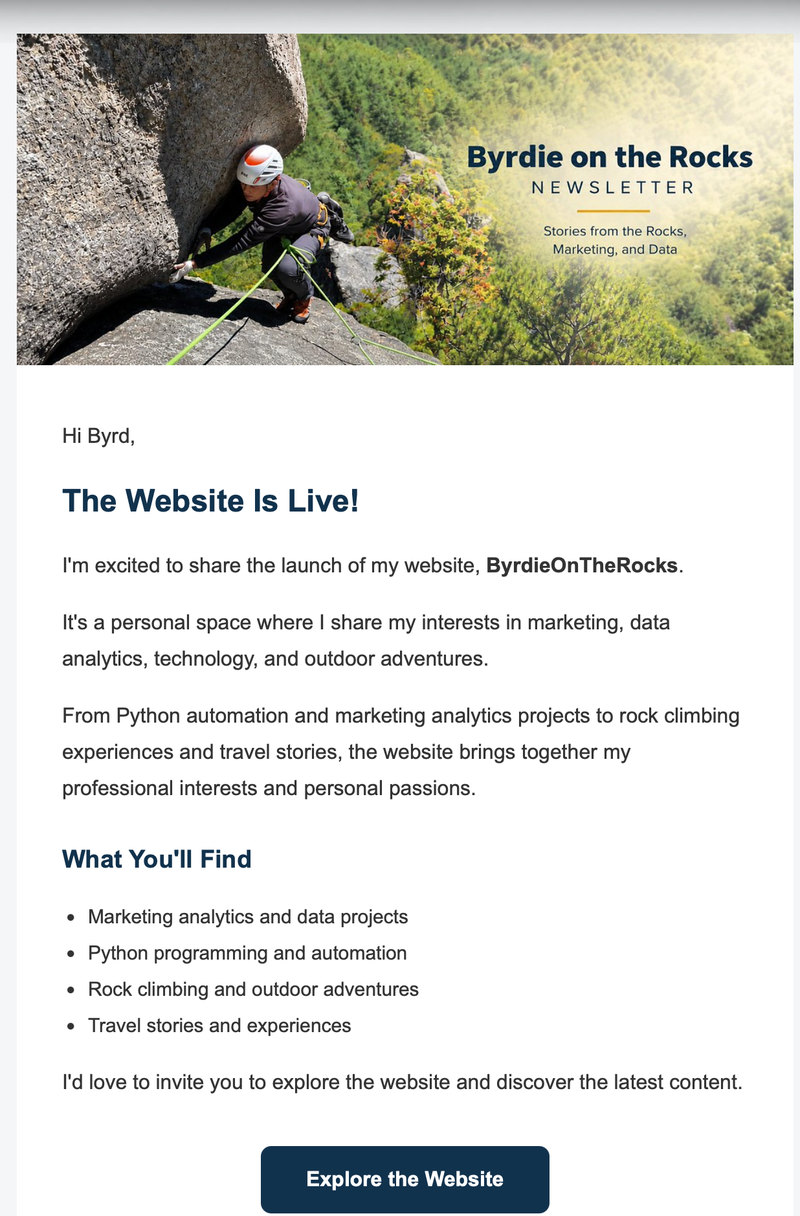
Personalized HTML newsletter successfully received through Gmail during testing.
Email Eligibility & Status Tracking
The automation processes recipients only when sendEmail = Y and status = Pending.
After Gmail accepts a sending request, Python updates the status to Sent. Records already marked Sent are skipped on later runs.
Sending errors follow a separate handling path. Additional duplicate-prevention safeguards are planned for future development.
Key Results
Google Sheets Integration
Automated client retrieval and status updates.
Email Personalization
Dynamic greetings, subjects, and UTM links.
Gmail API Automation
Successfully sent and received personalized newsletters.
GA4 Campaign Tracking
Verified newsletter campaign traffic in GA4.
What I Learned
This project helped me apply Python to a practical marketing automation workflow beyond data analysis.
I gained experience integrating Google APIs, working with OAuth authentication, Python functions, conditional logic, error handling, and dynamic HTML.
I also learned how separate Python modules work together to retrieve data, prepare emails, send newsletters, and track campaign results.
Data & Privacy
The project uses Google OAuth 2.0 authentication to access Google Sheets and Gmail API.
Testing used sample contact records and controlled email accounts. The public project version excludes private credentials, tokens, and client information.
The workflow runs locally and was developed as a Python and marketing automation portfolio project.
Future Development
Version 2 will explore scheduled newsletter sending, recurring campaigns, and stronger duplicate prevention using local macOS automation.
Explore the Project
Explore my Python marketing automation projects and implementation on GitHub.
← Back to Projects